A Minute here, could save you Hours
From job posting
to tailored resume,
without the copy-paste.
One click to save a job
3 free tailored resumes/week
Download as PDF or Word
All features, no card required
Save jobs from LinkedIn, Indeed, Workday, Glassdoor, Lever, Ashby, Greenhouse, SuccessFactors, Dayforce, Phenom, SmartRecruiters, Avature, iCIMS, UKG, BambooHR, Oracle, Taleo, Workable and Jobvite.
Why Job Baddie
You could paste it into an AI chat
Plenty of people do — the same way plenty of people still drive out to pick up the takeout. Job Baddie is the delivery option: you pick the roles, it gets you application-ready.
The writing comes out the same calibre as the chat you would have pasted into. The difference is everything around it.
How it works
Three steps, start to offer
Capture a posting, rewrite your resume for it, and follow it through your pipeline — without a spreadsheet in sight.
- 01
Capture the job
Open a posting on a supported job site and click the Job Baddie icon. Title, company, location, salary and the full description land in your pipeline. No copy-pasting, no retyping.
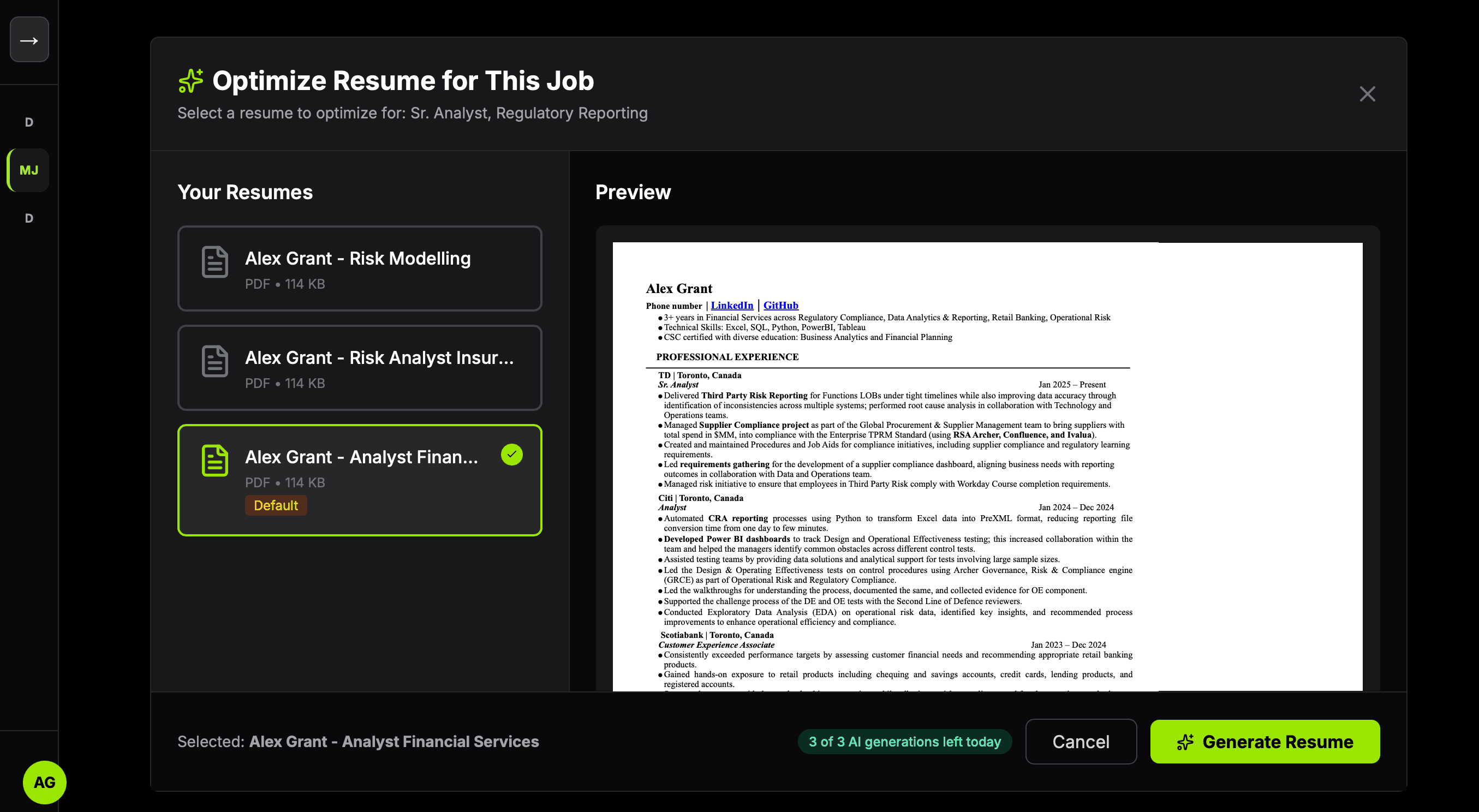 02
02Tailor your resume
Pick one of your saved resumes and a job you captured. Job Baddie rewrites the resume for that specific role and hands you a download. Three a week, free.
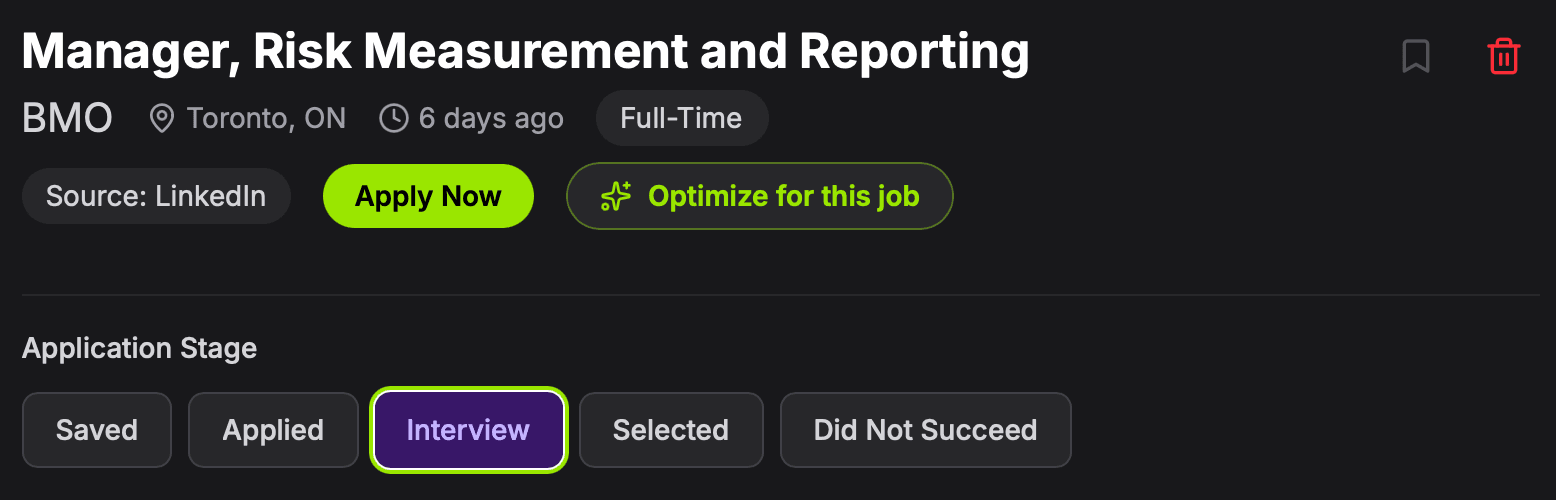 03
03Track it to the offer
Move each application from Saved to Applied to Interview as it progresses. The dashboard keeps the count so you always know where things stand.
Chrome extension
This is how jobs get in
Find a posting you like, click the Job Baddie icon, then press Save Job. That is the whole thing — no form to fill in, nothing to copy across. It reads the page you are already looking at and takes:
Works on LinkedIn, Indeed, Workday, Glassdoor, Lever, Ashby, Greenhouse, SuccessFactors, Dayforce, Phenom, SmartRecruiters, Avature, iCIMS, UKG, BambooHR, Oracle, Taleo, Workable and Jobvite job pages. Job Baddie is an independent tool and is not affiliated with, endorsed by, or connected to those sites.
- Job title
- Company
- Location
- Salary
- Job type
- Full description
The extension comes with your account — you add it from inside Job Baddie, in about a minute. Available for Chrome.
What you get
Built for the part nobody enjoys
Tracking applications, rewriting the same resume, and rereading job descriptions. All of it, in one place.
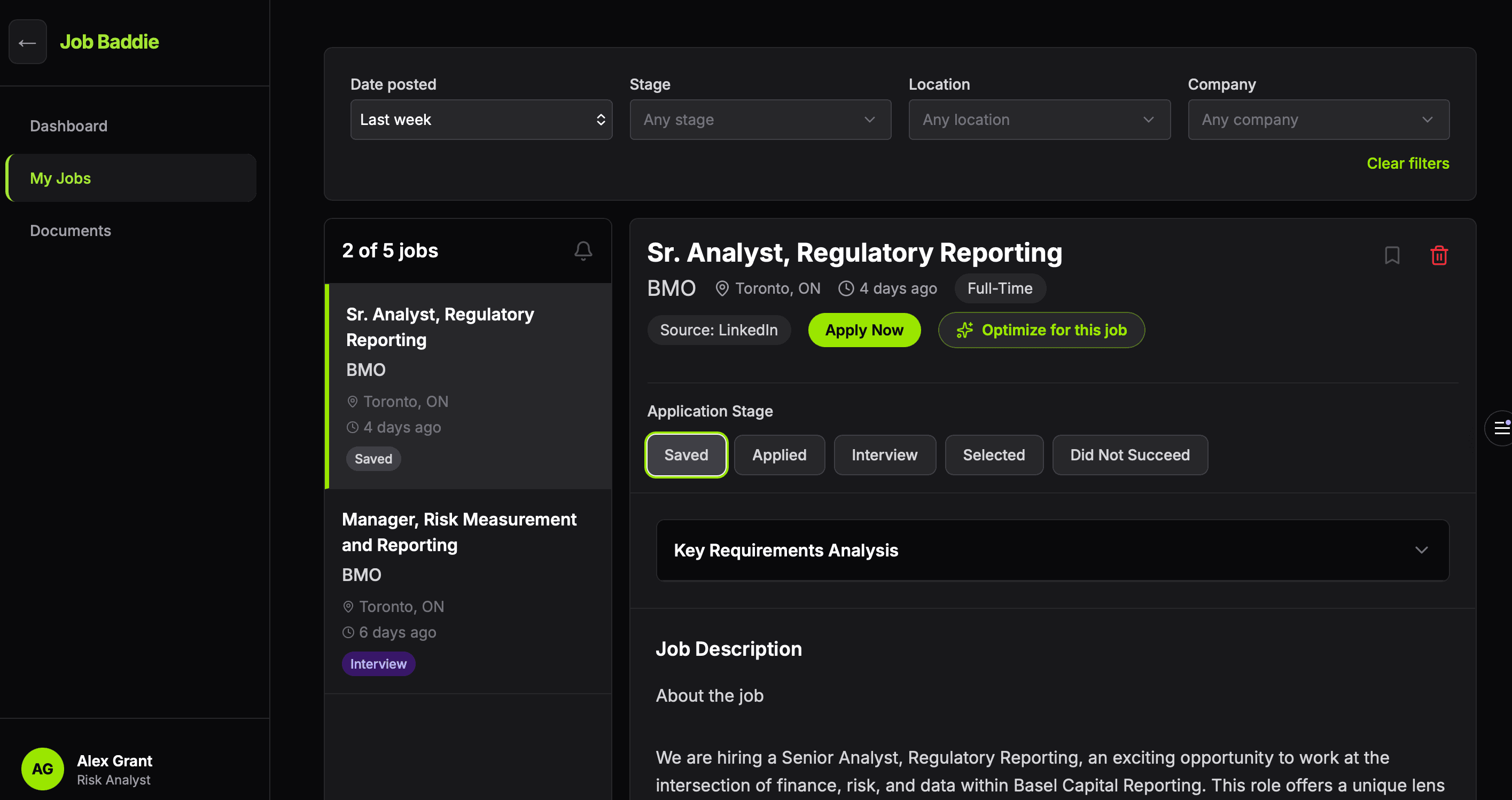
Your pipeline
Every application in one place
Everything you capture lands in a single list you can narrow down fast. Open any posting in full, then move it along as things happen.
- Filter by stage, company, location or date posted
- Read the full posting without going back to the site
- Saved → Applied → Interview → Selected, in one click
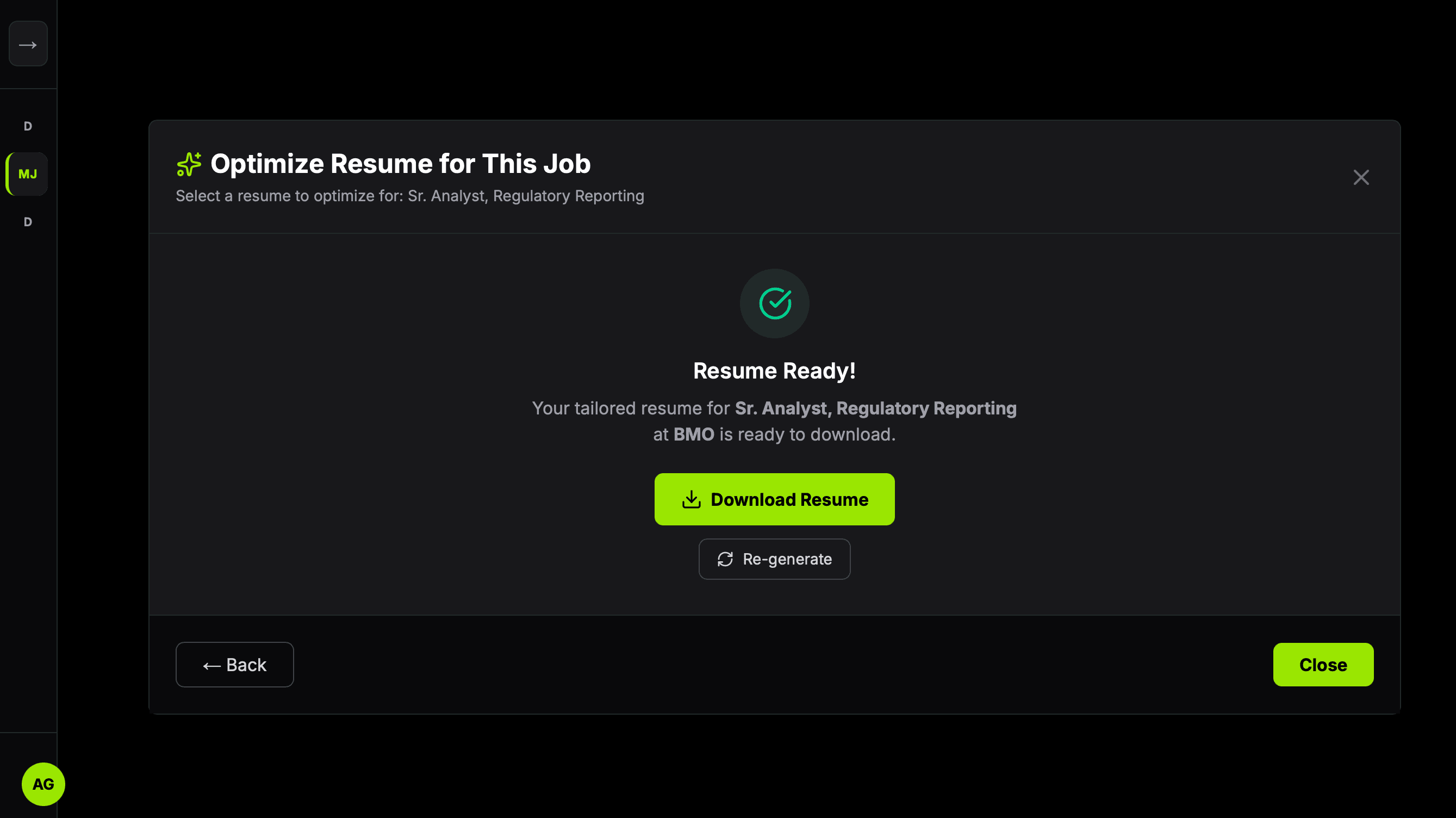
AI tailoring
Rewritten for the role, and kept with the job
Pick a saved resume and a job you captured. Job Baddie rewrites it against that exact posting — usually in under a minute — and the result stays attached to the job it was written for, so you can come back and download it again whenever you need it.
- Works from what is already on your resume, rewriting and reordering rather than adding to it
- Titles, employers and dates are carried across as written
- Your section order is kept, and you can drag it into a different one for any job
- Download as PDF or Word, whichever the application asks for
- Re-download it any time — that costs nothing and no generation
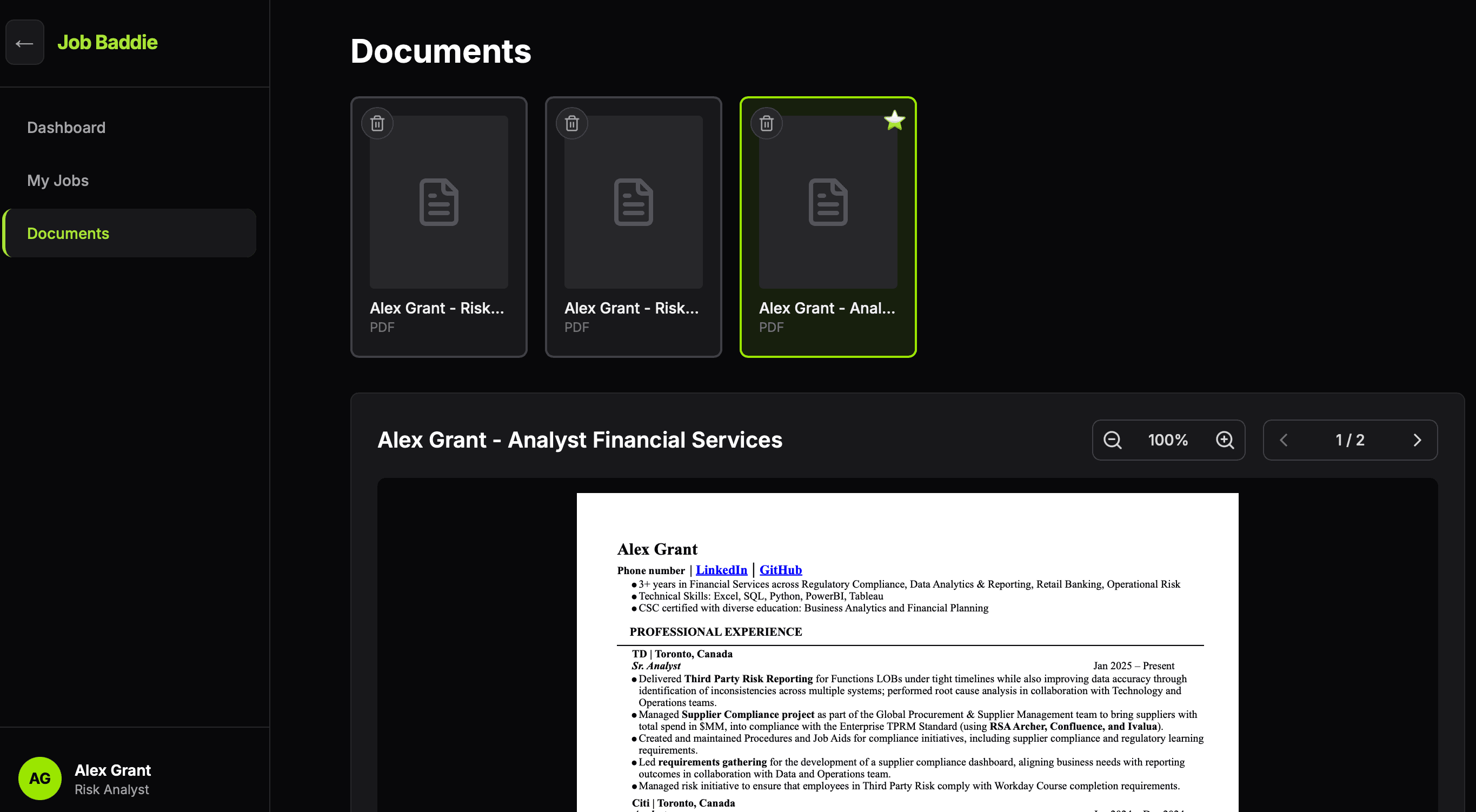
Documents
Your resumes, ready to go
Keep up to three resumes on file and read them in the app, so the one you want to tailor is always a click away.
- PDF up to 1MB, Word up to 2MB
- Preview any resume without downloading it
- Swap one out whenever you like — upload, preview, delete
Posting analysis
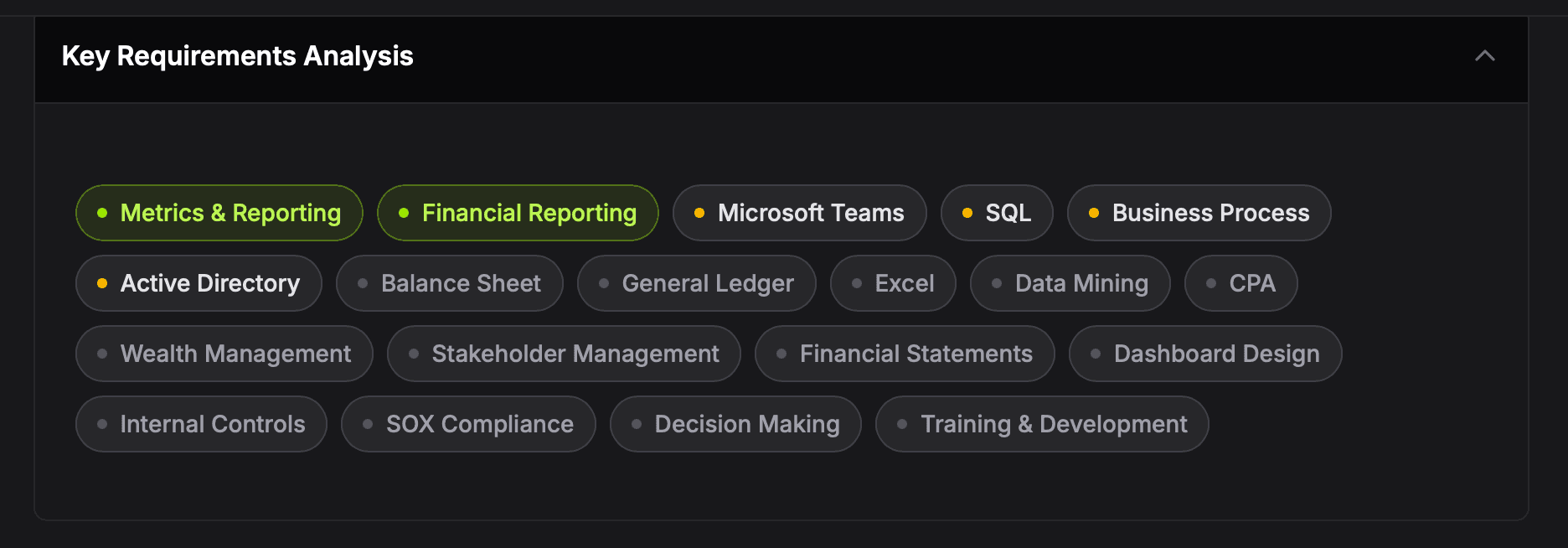
See what a posting is really asking for
Job descriptions bury the requirements in prose. Job Baddie pulls them out and ranks them, so you can see what actually matters before you write a word.
- Technical and soft skills, pulled from the description
- Qualifications and certifications, listed separately
- Each term marked critical, important or optional
Compare
Tailoring shouldn’t cost a subscription
The well-known job search tools charge for the AI that rewrites your resume. Job Baddie doesn’t, while it’s in beta.
Teal, Huntr and Jobscan do more than this table shows, including cover letters, contact tracking and resume templates. If you need those, they’re worth a look. If you want a tailored resume for every application without paying for one, that’s what Job Baddie is for.
Competitor plans as listed on their own websites in October 2026, in US dollars. Each also sells longer plans that cost less per month. Plans change, so check their sites before you decide. Teal, Huntr and Jobscan are trademarks of their owners; Job Baddie is not affiliated with or endorsed by them.
Pricing
Free while we’re in beta
Every feature on this page is on the free plan. No card, no trial timer.
Free
Free
Every feature in Job Baddie, free.
- Track job applications
- Saved postings kept with their full description
- Resume upload and document storage
- AI resume tailoring and keyword analysis
- Chrome extension for one-click saving
Pro
Coming SoonComing Soon
More power for serious job hunts.
- Everything in Free
- Higher limit for AI resume generation
- Analytics and insights
Questions
The things worth knowing first
Everything below is how it works today, not how it is meant to work eventually.
Do I need a credit card?
No. Job Baddie is free while it is in beta — there is no card field, no trial timer and nothing to cancel. Everything described on this page is on the free plan.
Do I have to install the extension?
Yes, if you want jobs in your pipeline. The extension is how a posting gets into Job Baddie — it reads the page you are already looking at, so there is nothing to copy or paste. You install it from inside the app once you have an account, and it works on LinkedIn, Indeed, Workday, Glassdoor, Lever, Ashby, Greenhouse, SuccessFactors, Dayforce, Phenom, SmartRecruiters, Avature, iCIMS, UKG, BambooHR, Oracle, Taleo, Workable and Jobvite job pages.
How many tailored resumes do I get?
3 a week, free, and you can use them all at once. The window rolls, so it is 3 in any 7 days rather than a reset on a set day. If a generation fails on our side, you get the slot back automatically.
What file do I get back, and can I get it again later?
PDF or Word, chosen when you download rather than when you generate — so you can take the same resume in both formats. It stays attached to the job it was written for and downloads named after that company and role. Downloading it again is free and never uses one of your generations.
Will it invent experience I do not have?
It is built not to. The rules that go with every generation say to keep job titles, employers, dates, degrees and institutions exactly as written, and to rewrite and reorder what is already on your resume rather than add to it — and the tool it fills in repeats those constraints field by field. It is still AI, so read what comes back before you send it. That is your resume going out, not ours.
How many resumes can I keep on file?
3. Upload a PDF up to 1MB or a Word file up to 2MB, preview them in the app, and swap one out whenever you like. Each tailored version you generate is stored separately, on its job, and does not count against those 3.
Do you train AI on my resume?
No. Our Terms say it plainly: we do not use your content to train AI models, and we do not sell it. Your files are stored privately to your account, and deleting your account takes them with it.
Which browsers work?
The web app runs anywhere. The extension is Chrome only for now, so that is where the one-click capture works.
Ready to stop sending the same resume?
Create a free account and tailor your first resume in a couple of minutes.
Get Started — Free